
Cash, M-Pesa or credit
Record a payment however the customer pays — split across cash and M-Pesa, or put it on credit — and Vidduka tracks the balance.
CoreVidduka is a cloud-based point-of-sale and inventory management app built for retail shops — ring up sales, track stock, manage customer relationships, and see real-time performance analytics, all in one place, all in Kenyan Shillings.
Why Vidduka
Features
The essentials, without the bloat of a full accounting system.
Record a payment however the customer pays — split across cash and M-Pesa, or put it on credit — and Vidduka tracks the balance.
CoreSearch your catalog and add items to a sale in a couple of taps — no scrolling through a long list.
CoreEvery sale gets a receipt number and the customer's name, so any transaction can be looked up later.
CoreSee what's in stock and what's run out at a glance, with items automatically flagged when they're out.
CoreProduct-level sales reports over a selectable period — see what's moving and what isn't, charted out.
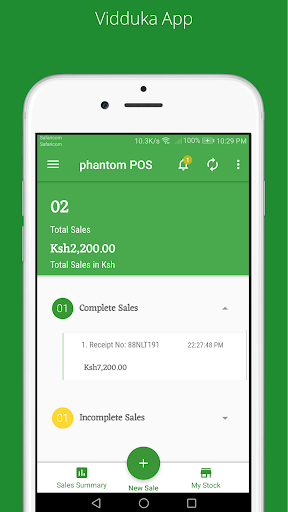
ReportingA running breakdown of today's sales and revenue mix, so you know where you stand without adding it up by hand.
ReportingKeep a running list of customer orders with delivery dates and status, so nothing gets forgotten.
CoreSales, stock and reports are all shown natively in Ksh — no currency conversion to think about.
Local-firstSee it in action
Real screens from the live app, straight from the Play Store listing.
Today's sales
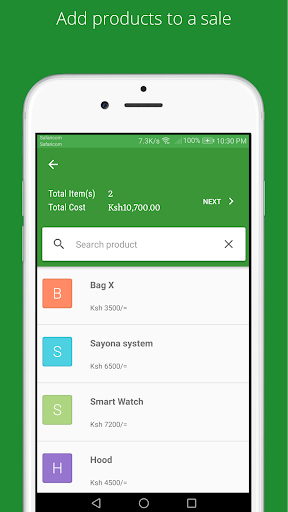
Add products to a sale
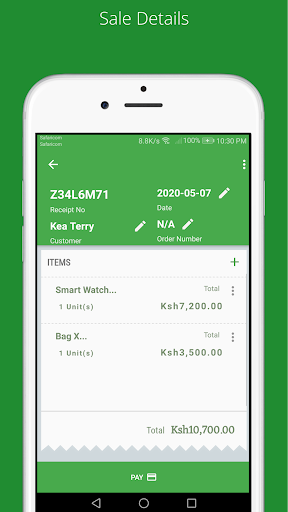
Sale details
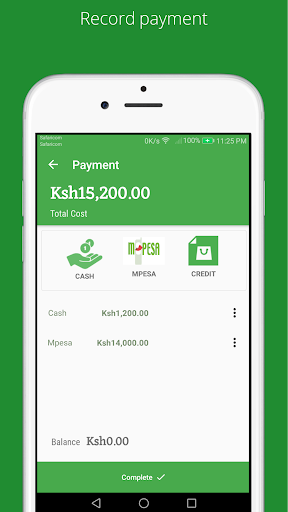
Record payment
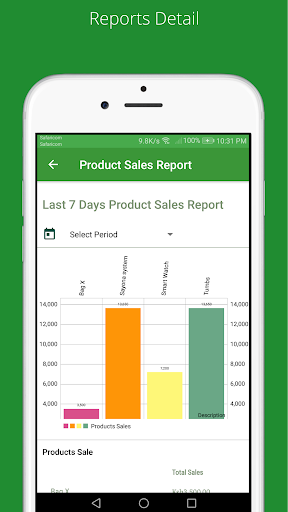
Sales reports
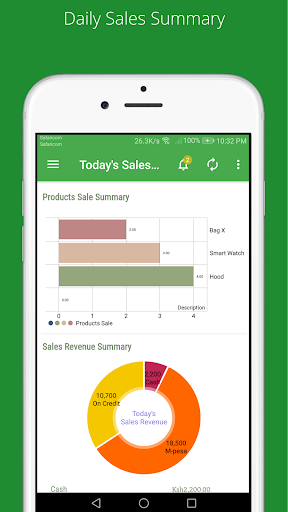
Daily sales summary
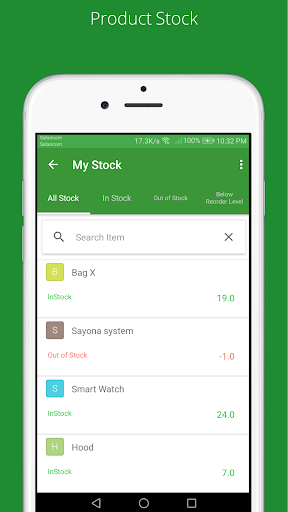
Product stock
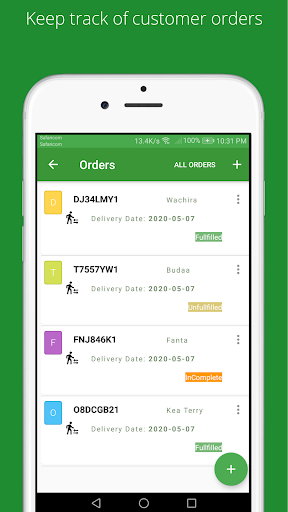
Customer orders
How it works
Load your products and starting stock levels into Vidduka so the app knows what you sell.
Ring up items, take payment, and issue a receipt — right from the counter.
Check your daily sales summary and stock levels any time you need to.
Proven in the field
Retail partners using Vidduka, within Nairobi's Central Business District
Native currency support, built for the local market
FAQ
Vidduka is built for retail shops that need a fast, simple way to record sales and track stock — it's currently used by 100+ retail partners within Nairobi's Central Business District.
Yes — sales, totals and receipts are shown in Ksh by default.
Cash, M-Pesa and credit sales — a payment can even be split across cash and M-Pesa, with Vidduka tracking any remaining balance.
The sales screen is designed to be simple enough for shop staff to use right away — add an item, take payment, done.
Reach out through the contact link below and the Nanocomputing team will help you get set up.
Talk to the team that builds and supports it, or visit the live app to get started.